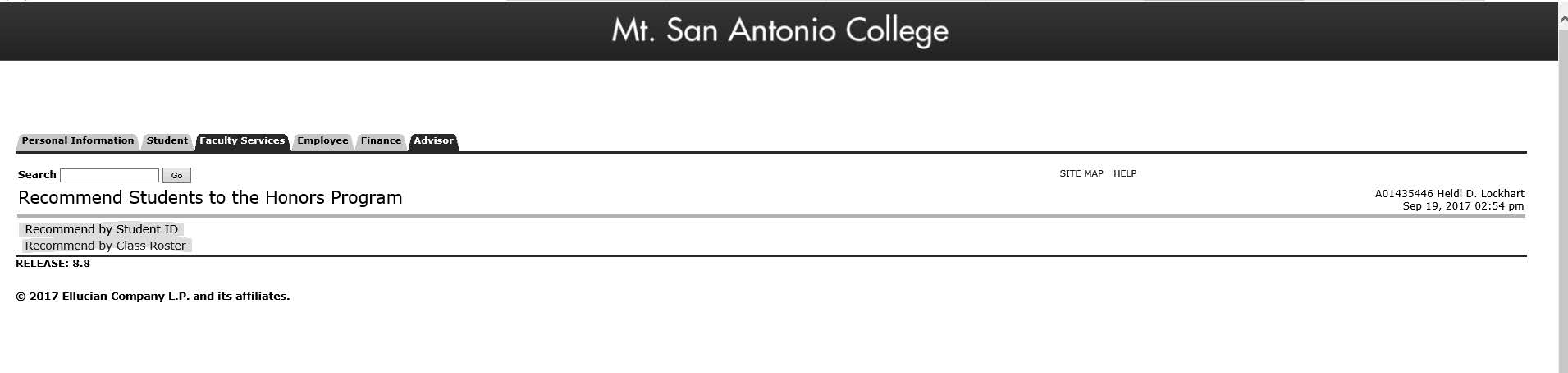
Recommend a Student to the Honors Program
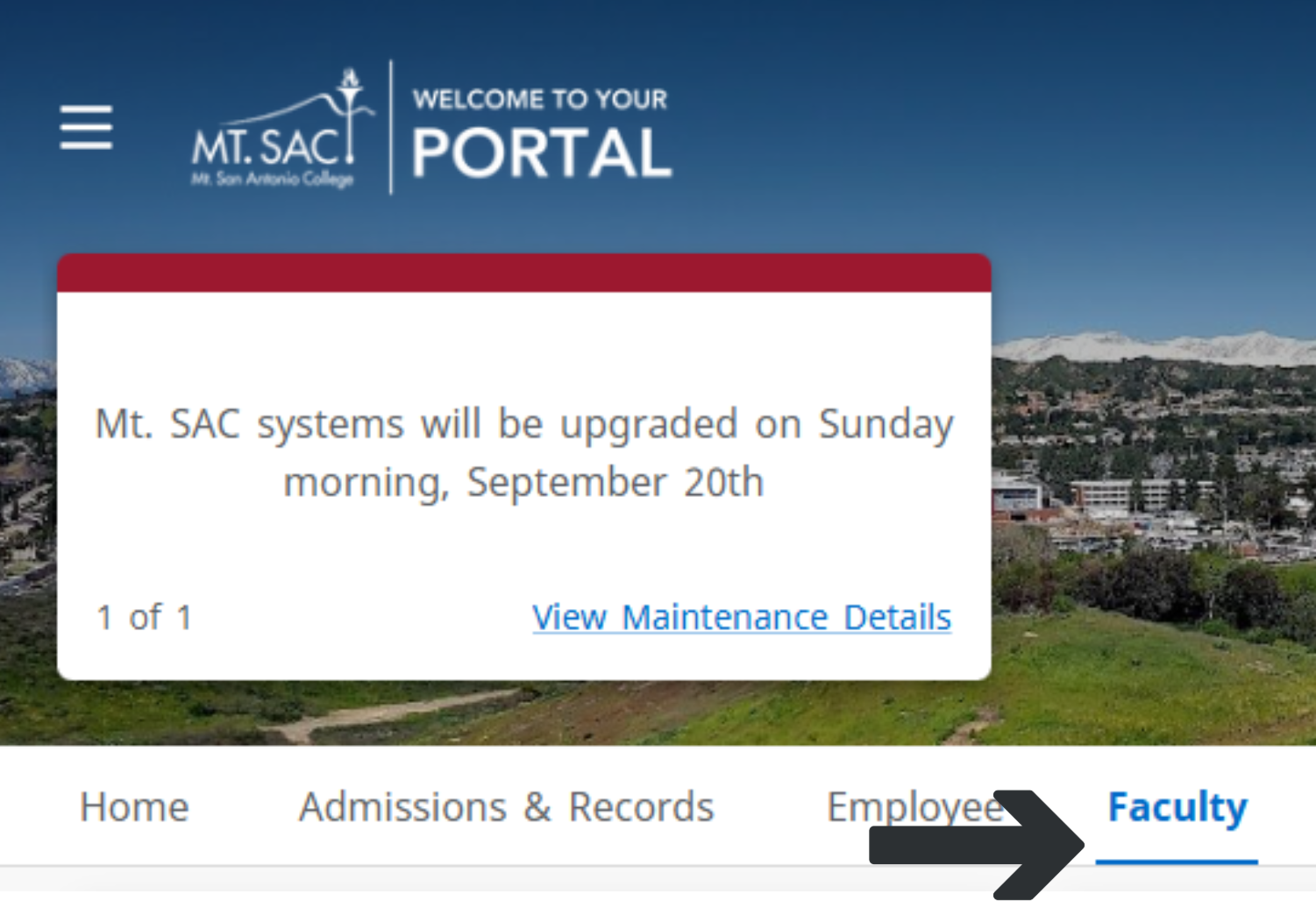
Faculty tab on your portal:
- Log in to your Mt. SAC portal.
- Click on the Faculty tab (see image below).
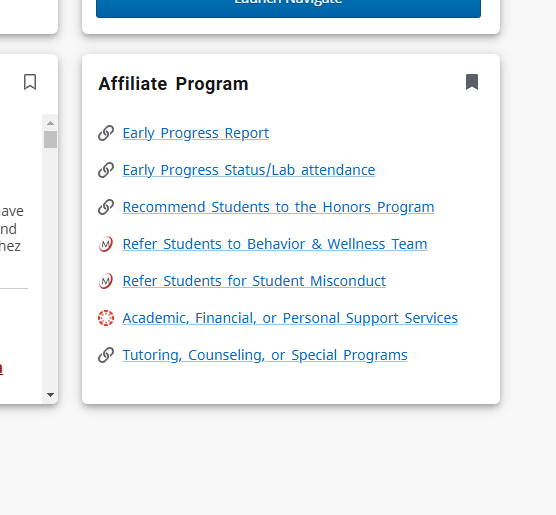
3. Find the Affiliate box tile (usually on the bottom right of the page). Click on "Recommend Students to the Honors Program" .
4. Select Recommend by Student ID (for any past or current student) and enter the student's ID number, OR Recommend by Class Roster (for teaching faculty who want to recommend students who are currently in their classes) and select students on the roster list you would like to recommend, then click submit.